

ENKORO
from A to Z
Questions/Messages/Criticism –
Click on the support button (bottom right)
c
- Conflict managerAs the group administrator, you can see all posts reported by group members here. You decide whether a post is kept or deleted. As a group member, you can see your reported posts and their status here.
- Conflicts
If you disagree with another group member’s post, you can report it by clicking the exclamation mark icon in the post and entering a reason for your report. Once you have sent this message, the group administrator will receive a notification and be asked to review the matter.
The group administrator can then deactivate, delete, or retain the post.
If you disagree with the decision, or if the administrator does not resolve the conflict, click SUPPORT in the bottom right corner and fill out the form, or send an email directly to support@enkoro.life.
Include the group name, the post in question, and a brief description of your concern.
The support team will look into it and send you feedback via email. - Contact
Do you have a question about ENKORO?
Is there trouble in a group?
Do you not like a post by another participant and the group administrator does not react as you think is right?
Then use our support ticket.
Click on the support button at the bottom right here, fill in the form and send it off
or send an email directly to:info@enkoro.life.de
We will process your request as quickly as possible and reply to you by email. - ContributionsEach group member can report contributions (movie, picture, text) to the group administrator. The group administrator then decides on the whereabouts of the post. You can indicate why you do not like a post in the message. You can choose from the following options: The post is unfavorable violates copyrights or mentions me without my permission I simply don't like it has other flaws (please explain)
- Costs
Use of the ENKORO app is permanently free of charge.
ENKORO does not charge per user, but per group.
This means that all group members benefit from the payment of one group member.
The first 180 days after setting up a group are free of charge.
After that, there is a charge of €1 per day.
Use of ENKORO app: 0€
Group maintenance: €1 per day
It does not matter which group member contributes financially. In the payment process, you can decide whether the other group members can see who has made the payment or whether you want to do this anonymously.
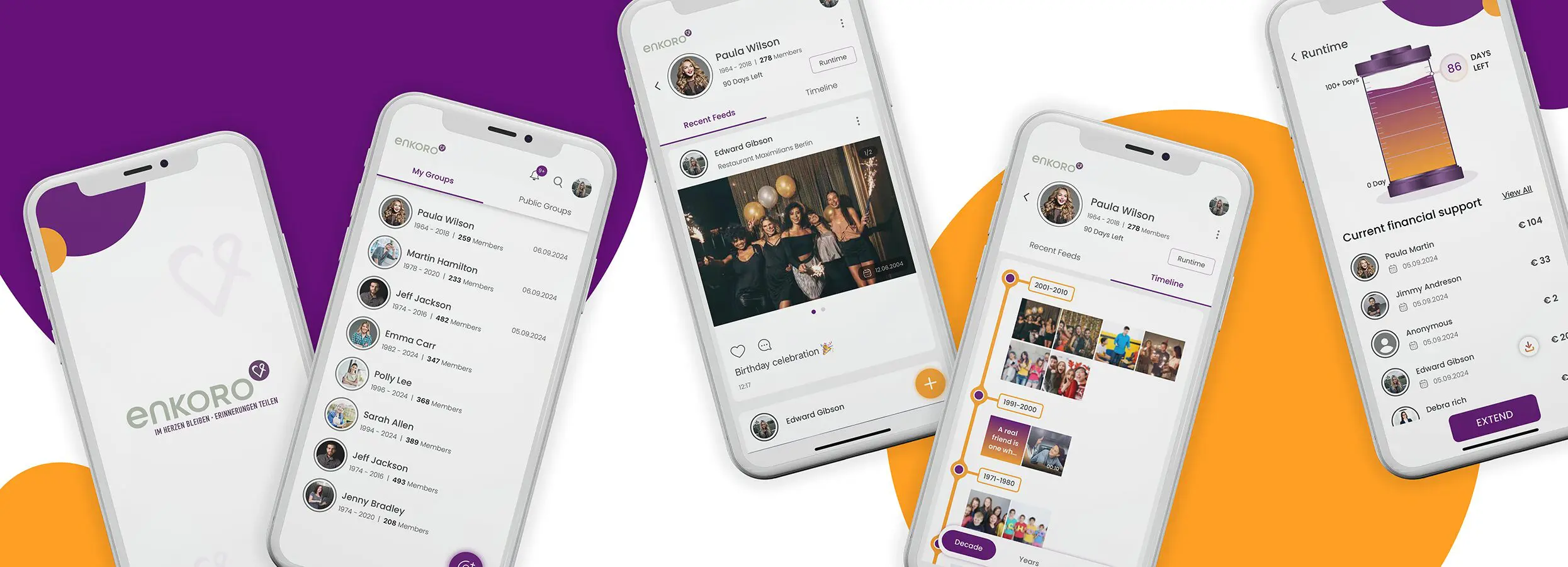
Click on Duration in your group and you will receive an overview of the remaining term of the group and who has contributed to the maintenance of the group so far.
Click on Extend if you want to participate in maintaining the group.
If the ‘Silo’ indicator goes to 0 days, the group content is locked and can no longer be expanded, viewed, commented on or liked.
However, the group can be awakened from its ‘dormancy’ at any time within one year of the end of the term by a payment from a group member.
All group members will then be informed by email that the group has been awakened.
- Costs for meThe ENKORO app is absolutely free to use . You don't have to pay anything.
Only the permanent maintenance of a group costs something. But you don't have to pay - it doesn't matter which group member makes a contribution to maintaining the group. As soon as a group member makes a contribution, all group members have full access for the paid period - without restrictions. - Costs per groupENKORO costs per group, not per participant. This means that every payment made by an individual benefits the entire group and everyone receives full usage rights - with no ifs or buts.
- Create groupIt's very simple: Click on the round purple symbol at the bottom right of your group overview.
The group creation takes place in 2 steps:
- Step
- Give the group
- a picture
- a name*
- select the group type* (Private or Public).
- Give the group
- Step
- Enter the personal details of the deceased person (first name*, surname*, date of birth*, date of death*, etc.)
- Select the obituary (or take a photo of it from the newspaper)
- Enter date* and place of death
- Select the gender
- Enter the address
- Select the religion
- Step